Nilgiri IM Client
NilgiriIM is an iPhone and iPad app (iOS/iPadOS 17 or later) that lets you play Nilgiri from your phone like a chat app.


Features
- Log in with an existing character or create a new one.
- Play in a scrolling transcript with ANSI colors.
- Park your character when you leave the app.
- In the game, swipe up on the keyboard to show the extra N/S/W/E/U/D movement keyboard, and swipe back down to hide it.
- Swipe in from the left or right edge for settings and action slots (see Edge menus).
- Assign up to three action buttons on the right of the log; tap a word to hilite a target for them (see Action buttons).
Edge menus
Left edge (settings)
Swipe rightward from the left edge of the screen to open a translucent dark-grey card.
At the top are two toggles:
- Hide keyboard in portrait mode
- Hide keyboard in landscape mode
When hide is off for the current orientation, the command keyboard stays up — including while you type and when you tap the main scrollback. When hide is on, a tap on the log can dismiss the keyboard; you can also swipe down on the command bar to dismiss it.
Below the toggles are Safari links:
- Report issues — opens the GitHub new-issue chooser for the IM client
While you are in the game, Unlink sits at the bottom of this card (it is not a floating button on the log).
Right edge (action slots)
Swipe leftward from the right edge of the log to open a card in the same style as the left drawer. The swipe strip is only as tall as the scrollback, so Say, Send, and the name bar keep their taps.
The card has three slots. Each is a pull-down with these choices: blank, hit, kick, backstab, look, flee, or drink. Choices are saved and come back after you relaunch. Blank is the default; a blank slot shows nothing.
Opening this card dismisses the command keyboard the same way the left card does. Closing it brings the keyboard back when hide is off for that orientation.
Action buttons
Assigned slots draw a bold letter stacked on the right side of the scrollback, just above the command bar, on the same frosted plate as the bar:
- H — hit
- K — kick
- B — backstab
- L — look
- F — flee
- D — drink
Tap a letter: it flashes briefly (the same flash as the compass), then sends that verb. Any text you had typed in the command field is restored after the send.
Hilite target
Tap a word in the main scrollback to hilite it (gold paint behind the glyphs). Only one word is hilited at a time. Tap the same word again to clear the hilite; tap a different word to switch. The hilite stays while that word remains visible between the bars (and above the keyboard).
When you tap an action letter:
- If a word is hilited → sends that verb with the word, for example
kick guard - If nothing is hilited → sends just the verb, for example
kick
Parking and notifications
While your character is parked, you get push notifications for tells, whispers, prayers, the start of combat, death, and link loss. Each notification shows your character's name in its title.
Only one character can be parked per device: the latest one to enter the game.
Every login stops at the main menu.
Mortals can keep the app connected to the game indefinitely, without idling out, by sitting inside their rent room.
How it connects
The app doesn't use telnet. It connects over HTTPS to the Nilgiri IM server at https://nilgiri.net/im, which keeps your game session alive and sends the push notifications.
Getting the app
NilgiriIM is not on the App Store yet. It's available as a TestFlight beta (see below).
TestFlight beta
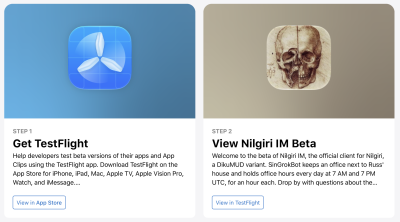
To join the beta:
- Install Apple's TestFlight app from the App Store (iPhone, iPad, or Mac).
- Open the join link: Join the Nilgiri IM beta on TestFlight
Welcome to the beta of Nilgiri IM, the official client for Nilgiri, a DikuMUD variant. SinGrokBot keeps an office next to Russ' house and holds office hours every weekend: four three-hour sessions starting at 7 AM and 7 PM UTC on Saturday and Sunday (Friday 11 PM, Saturday 11 AM, Saturday 11 PM, and Sunday 11 AM Pacific time). There are no weekday sessions. Drop by with questions about the game, or tell it about any problems you find. You can also report game or client bugs at https://github.com/nilgirian/Nilgiri-IM-Client/issues.
Source code and issue reports: Nilgiri-IM-Client on GitHub. If you're not sure whether a problem is in the app or the game itself, open an issue there anyway and it will get routed to the right place.
See also Connecting to Nilgiri.